
On this page:
Tema 1 - Tema 2 - Related articles
Introduksjon
[screen recording]
Husk settings: Loop, mute, Hide controls, auto play
Tema 1:
Tekstesen
Tema 2:
Tekst tekstesen
Related articles:
Link 1
Link 2
Skal dekke:
Gammel tekst:
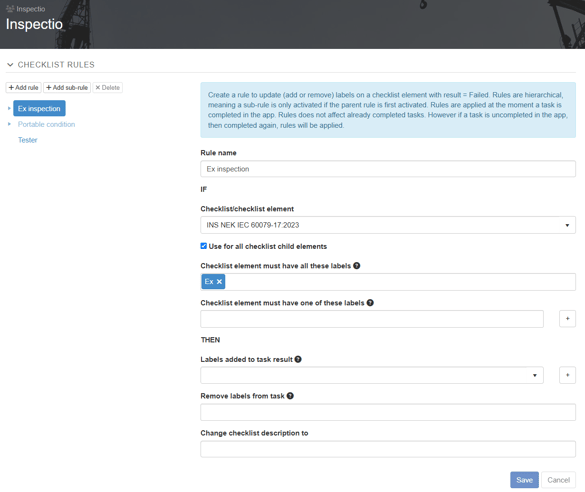
Rules can be configured so that a task is given a priority for example triggered by a cause code. This configuration is fully customizable. For some domains, such as Ex inspections, a default setup is automatically inherited to your client. Contact support@inspectio.no if this does not fit your needs.
Any rule created on the Client is also inherited to all assets on that client. This way you can have the same rules for all assets, however if you want to you can create an override on a local asset to apply specific rules.
NB: Any changes in RULES does not affect already completed tasks. The rule is applied to the task when the task is completed in the mobile app.